
This week the blog is sponsored by Church Social and is written by Jonathan Reinink.
Growing up, I remember our church would periodically coordinate a church-wide photo shoot where all the families in our congregation would take their turn coming to the church, dressed their best, ready to have their photo taken.
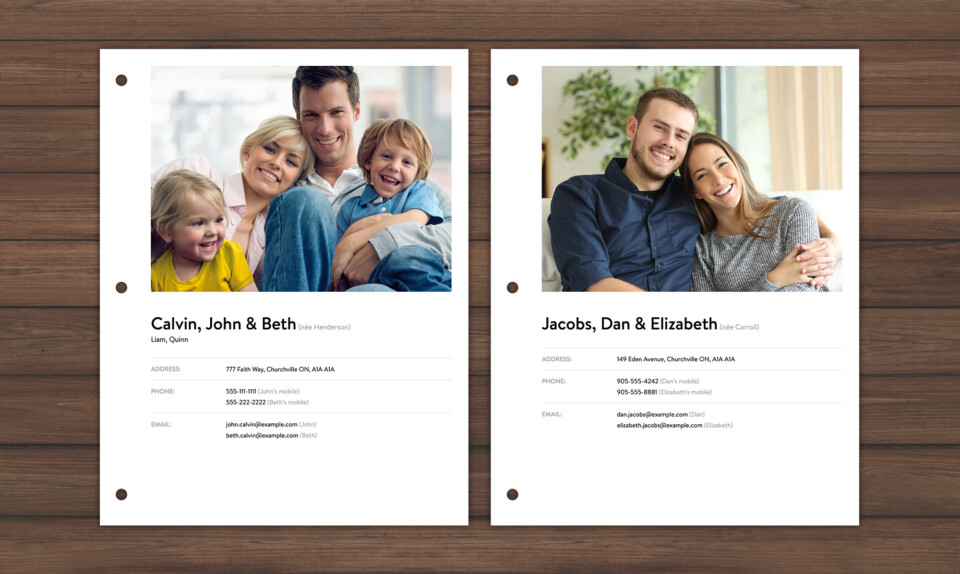
Those photos would then be organized into a nicely coiled and printed church directory along with our names and contact information. Each family in the church would get their own copy. It was a bit of a process, but it was a useful one as this directory became a valuable tool for both existing and future members of our church.
Today I run a software platform called Church Social which, among other things, gives churches the ability to create an online church membership directory, which all members are able to log in and access. It takes the original concept of the printed church directory and brings it into our modern era.
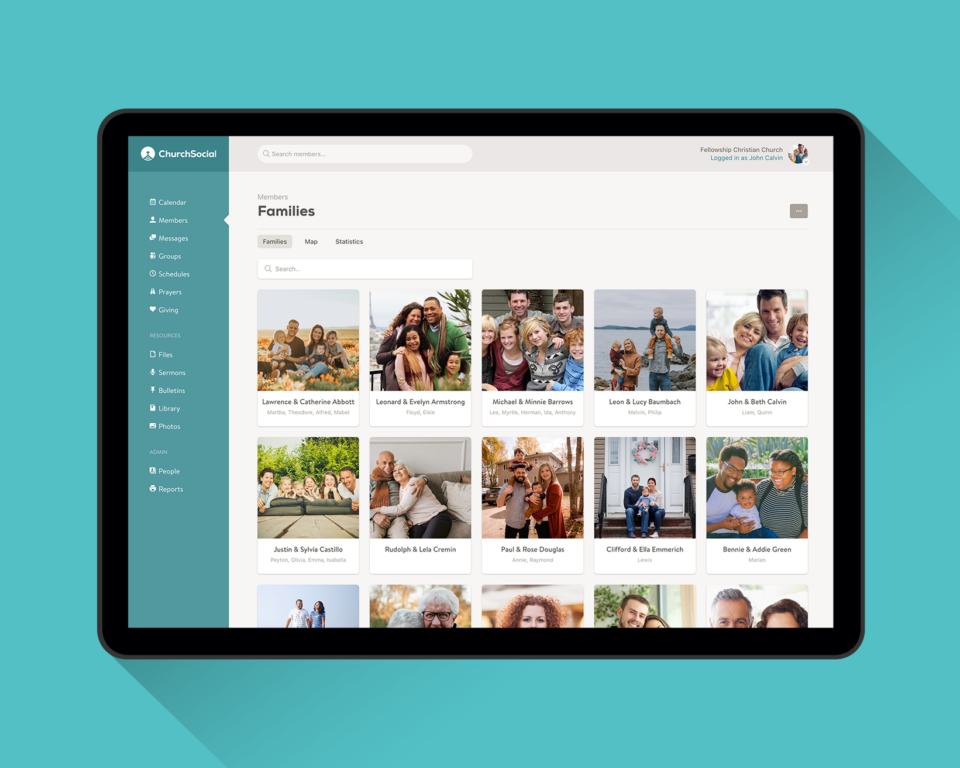
Members can sign into Church Social and easily access their congregation’s member directory, which includes family photos, phone numbers, addresses, email addresses and more. Since it’s web-based you can access it anytime — just open your phone and you have this information available at your fingertips. This is really handy when you get invited to someone’s place for coffee but don’t have their address!
Invaluable to new members
The Church Social member directory makes it really easy for people who are new to your congregation to put names to faces. This knowledge is something that’s easy to take for granted as a long-time member of a church — you know everyone already! But when a new family joins, or even a new pastor, they need to learn who everyone is, and an up-to-date member directory is an extremely helpful tool in that process.
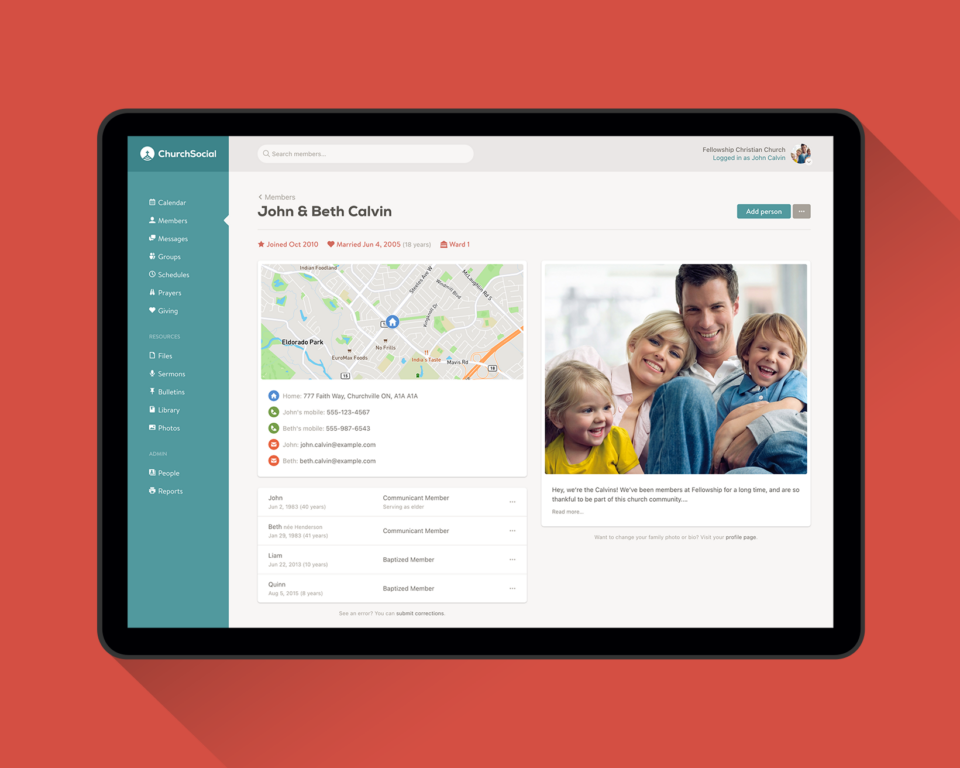
“The family photos are a great way for newcomers to be introduced, and for members to put names to faces!”
— Willem Vanderven (Elder at the Free Reformed Church of Baldivis, Australia)
“Coming to Owen Sound as a first time minister, I found that they were already using Church Social. Since I was not only a first time pastor here, but also a new member, it became an incredibly valuable resource. It was not only helpful for coming to know the members of my congregation, but also made it much easier to connect with them and arrange visits.”
— Rev. David Pol (Pastor of the Owen Sound Canadian Reformed Church)
Always up-to-date
One of the biggest benefits to using a digital church directory like Church Social is that it’s always up-to-date, which isn’t something that could be said for our beloved printed versions, which tend to be out of date by the time they are printed.
At its core Church Social is a tool that helps your church track and organize the church’s membership records, meaning Church Social becomes your church’s “source of truth” when it comes to who your members are, what their contact information is, etc.
Since the member photo directory is linked with this database, the directory always shows the most current information. Meaning if a member updates their email address, their phone number, or even their family photo, those changes are reflected immediately in the app for everyone to see.
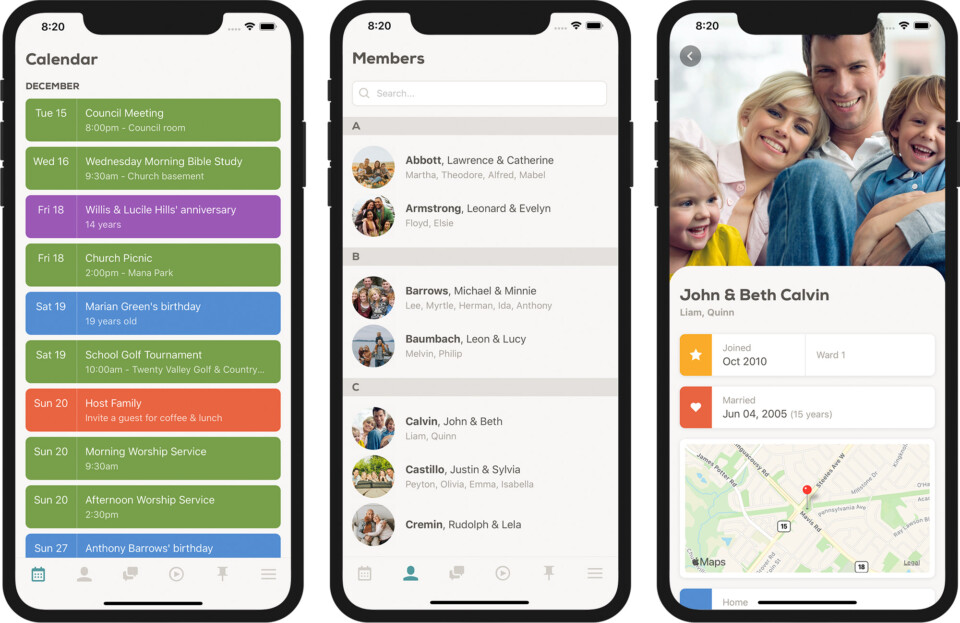
And what’s great is these updates don’t all fall on your church administrator to make. When members login to Church Social they are able to update some of this information themselves on their profile page. This reduces the workload of your administrator and also helps keep this information as accurate as possible.
Visualize where your members live
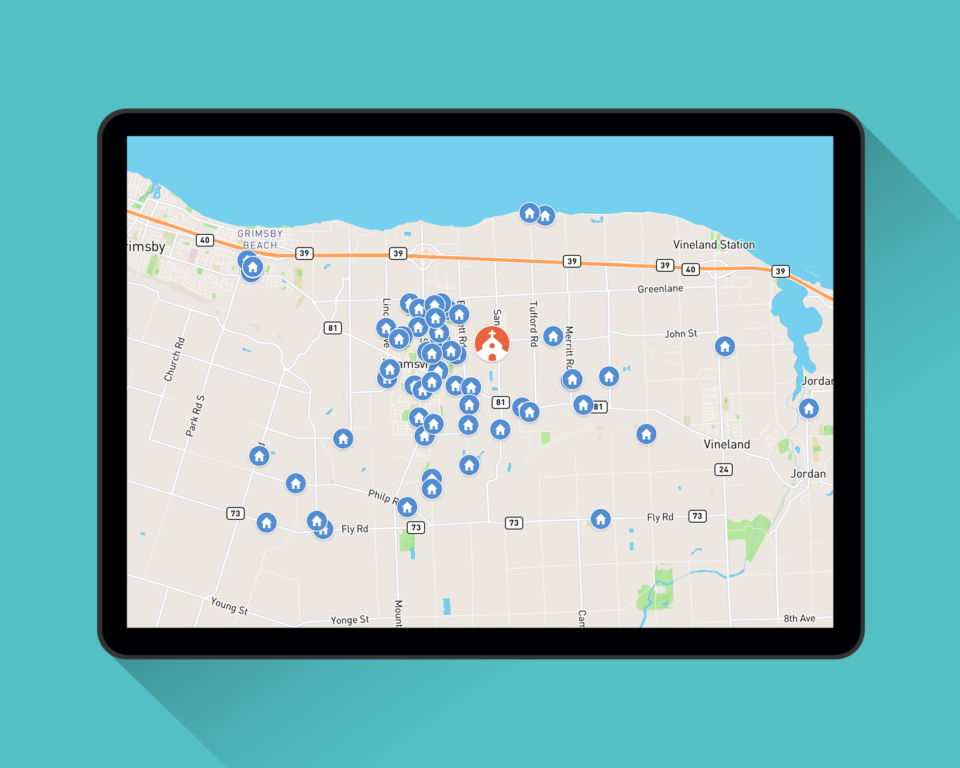
Once you have all your membership records loaded into Church Social, the software automatically generates a map view plotting each family’s home address. This is a great way to visually see where your church membership lives relative to your church building.
Print-ready directories
But what about those members who aren’t so computer savvy? In those situations, a printed directory might still be the best thing, and Church Social makes creating these a breeze!
There is an option within the app to download a print-ready membership directory based on all the information that already exists within your account. Simply hit download and send it to your printer!
Give it a try
To learn more about Church Social, or to sign up for a free trial, visit our website at churchsocial.com. If you have any questions, please contact us at [email protected]. We’d love to hear from you!





